...Creative Content & Unique Visual Styles For Animation
Tutorials...
For a Great Cause: Primate Anatomy ZBrush Tutorial
Friday, March 14, 2014
An “fantastic” series of ZBrush tutorials by Ben Mauro via BadKing.com... because what makes this great series “fantastic,” is that 15% of the sale goes to a great cause: Save the Chimps (http://www.chimphaven.org/)
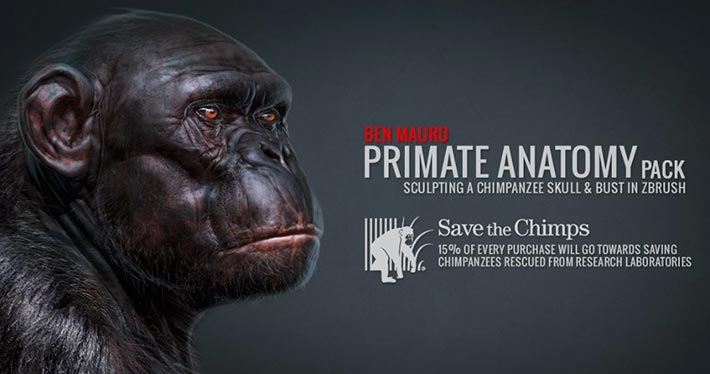
Here are the descriptions of the two series:
Primate Anatomy Part 1
In this six part tutorial, internationally renowned Artist and Instructor Ben Mauro shows us the tools and techniques necessary to build a high-resolution primate skull. Working within ZBrush 4R6, Ben utilizes a set of ZBrush tools and reference material to shows us his techniques to turn a simple three-dimensional sphere into a complex and highly detailed Chimpanzee Skull.
Primate Anatomy Part 2
In this twelve part tutorial, Ben Mauro continues to work within ZBrush 4R6 taking us through his process of creating a highly realistic Chimpanzee Bust from a simple three-dimensional sphere. He builds upon his primate skull created in his previous tutorial and demonstrates how to best utilize reference material to create desired results. Ben discusses how he renders, exports and brings sculpts into Photoshop before using a number of photobashing tips for added realism.
15% of Sales from Ben Mauro’s tutorial will go towards the Save the Chimps Foundation, rescuing chimpanzees from cruel conditions and experimentation performed within biomedical research laboratories.
Here are the descriptions of the two series:
Primate Anatomy Part 1
In this six part tutorial, internationally renowned Artist and Instructor Ben Mauro shows us the tools and techniques necessary to build a high-resolution primate skull. Working within ZBrush 4R6, Ben utilizes a set of ZBrush tools and reference material to shows us his techniques to turn a simple three-dimensional sphere into a complex and highly detailed Chimpanzee Skull.
Primate Anatomy Part 2
In this twelve part tutorial, Ben Mauro continues to work within ZBrush 4R6 taking us through his process of creating a highly realistic Chimpanzee Bust from a simple three-dimensional sphere. He builds upon his primate skull created in his previous tutorial and demonstrates how to best utilize reference material to create desired results. Ben discusses how he renders, exports and brings sculpts into Photoshop before using a number of photobashing tips for added realism.
15% of Sales from Ben Mauro’s tutorial will go towards the Save the Chimps Foundation, rescuing chimpanzees from cruel conditions and experimentation performed within biomedical research laboratories.
“No one has ever become poor by giving...”
Anne Frank
Cheers!
Tutorial: iPad Mini + Jot Touch 4 + Procreate Painting Tutorial #2
Wednesday, February 19, 2014
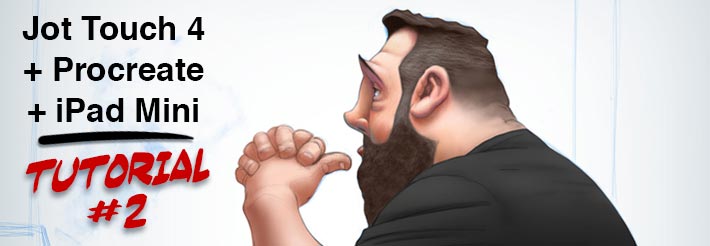
(Click on the image!)
So here’s another short Tutorial of using the iPad Mini + Jot Touch 4 + Procreate to quickly create paintings “on the go!”
The objective of these tutorials is to show Artist how to use a simple program like Procreate, an amazing Stylus like the Jot Pro Touch 4 and a tablet (I use an iPad Mini because of its size,) and to quickly sketch something that you can then “finish-up” in either Photoshop - or your poison of preference!...
(Click on the image!)
In this tutorial I go over how to sample colors from photographs. I use an amazing photograph by Artist Angelica Dass’ humanæ project, where she took portraits of people and assigned the corresponding PANTONE® color scheme…” Very impressive project and work.
Stay tuned for more tutorials on this series!
Cheers!
Tutorial: iPad Mini + Jot Touch 4 + Procreate Painting Tutorial #1
Wednesday, February 12, 2014
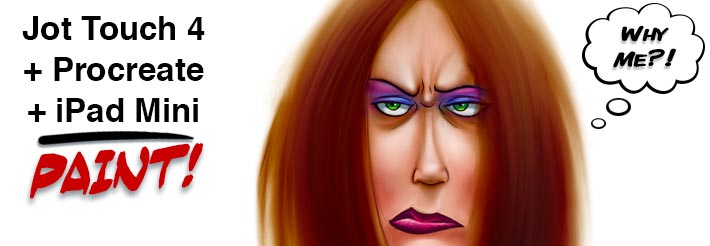
(Click on the image!)
So here’s a short Tutorial of using the iPad Mini + Jot Touch 4 + Procreate to quickly create paintings “on the go,” with a great Caramel Flan Latte seating at your local Starbucks...
(Click on the image!)
B&W sketching to final color sketch, I spent no more than one hour - I had to learn the program using their manual - that you can download for FREE onto your iPad!... I also had a Decaf Caramel Flan Latte and THREE madeleines while doing this color sketch!... Talk about “multi-tasking,” eh?...
Cheers!
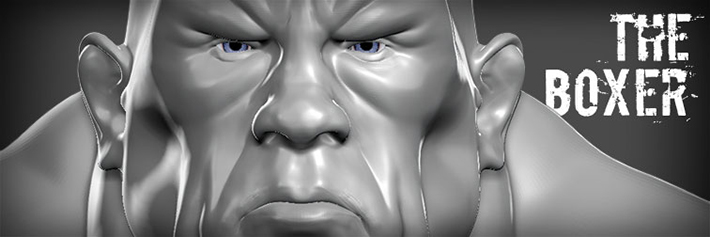
New ZBrush Sculpt: "The Boxer"
Tuesday, March 26, 2013
Growing and Shriking Selections in ZBrush
Sunday, December 02, 2012
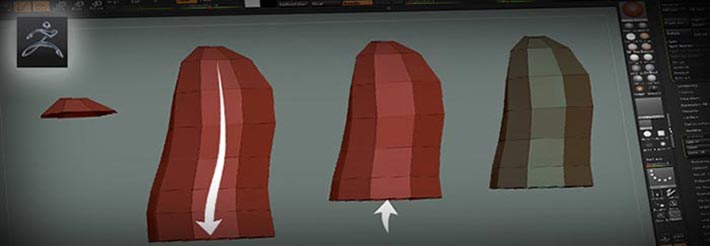
Tutorial: Growing & Shrinking Selections In ZBrush
A Step-By-Step Tutorial On How To Retopologize A Rough Sketch For Better Efficiency
This is one of the coolest tricks I’ve learned recently. I use it to GroupVisible PolyFaces based on the edge flow by growing / shrinking selected PolyFaces (from a hidden mesh)…
Cheers!
ZBrush/TopoGun Retopology Tutorial
Tuesday, November 27, 2012
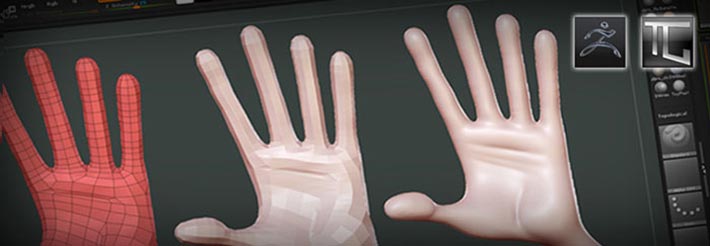
Tutorial: ZBrush/TopoGun Mesh Retopology
A Step-By-Step Tutorial On How To Retopologize A Rough Sketch For Better Efficiency
I’m writing a quick tutorial on how to quickly sketch a character in ZBrush, re-topologyze in TopoGun, and re-project the detail - from the original quick sketch, back in ZBrush into the new Animation-friendly mesh.
This, I believe, saves time and improves performance due to the efficiency of the re-topologyzed mesh, and its also a Rigging and Animation-ready, which makes for happier artist and Producers!
Cheers!